Live Workshop
Build a Second Brain for Your Business
A live implementation workshop where we build, with you, the system that turns your calls, emails, documents, calendar, SOPs, and decisions into one AI-readable business memory system your team can actually use.
Walk out with the blueprint, prompts, folder structure, and a step-by-step setup plan to build a Claude-powered second brain for your business.
- Live on Google Meet
- Recording included
- Built for business owners
- Hands-on implementation
Runs on · Calls · Emails · Documents · Calendar · SOPs · Slack / Teams
Join the waitlist
The first MintUp cohort is forming now. Join the list for first access — and founding-cohort pricing — before seats open to everyone.
The Stack
Wired into the tools your business already runs on
Your tools stay yours. The point is to organize the context so Claude can read it, reason over it, and help you act on it.
CRM friendly
Salesforce, HubSpot, Zoho, Pipedrive — or whatever system your team already uses.
What we build live
Capture
Calls, emails, docs
Organize
Folders + source map
Contextualize
People, projects, SOPs
Ask
Claude with business context
Act
Briefs, tasks, follow-ups
The Real Problem
AI isn't the problem. Your context is.
Your AI only knows what you give it. Everyone told you it would make your business faster. But when your customer calls live in one place, your SOPs in another, your emails in Gmail, your tasks in someone's head, and your decisions buried in old text threads, it's working blind.
We see it constantly with Northeast Ohio operators — the Akron HVAC company whose dispatch lives in three places, the Cleveland law office that can't find last quarter's decisions. Most don't need another AI tool. They need one place where the business can actually be understood.
An AI that can't see your business is just expensive autocomplete.
Before
After
One business memory layer Claude can actually read.
The Finished System
Everything your business knows, in one place you can ask.
Some people call it a second brain. We call it your business memory system — and it isn't about replacing your team or buying another app. It's about making your business readable to AI, so the answers are already there when you need them.
Scattered context
- Calls
- Emails
- Documents
- Calendar
- SOPs
- Slack / Teams
Your Business Memory
Claude-powered
What you can ask for
- Morning Brief
- Follow-Up Tasks
- Customer Context
- SOP Lookup
- Decisions
Ask anything about your business
What happened with a customer, a project, an employee, or a deal — answered from one place instead of five.
Start the day with a brief
A morning rundown of what needs attention, who's waiting on you, and what slipped through the cracks.
Find anything without digging
Decisions, SOPs, call notes, and documents surface on request — no more hunting across tabs and threads.
Turn calls and emails into tasks
Conversations become follow-ups automatically, so commitments don't die in your inbox.
Get the business out of your head
Stop being the single point of failure. The context lives in a system your team and your AI can both read.
Read Before You Sign Up
This workshop is hands-on.
To get the most out of it, you need real business context to feed the system. Here's what to bring.
Business context to feed it
Call recordings, SOPs, documents, contracts, customer or project notes, emails, or calendar history. The more your business is already written down, the faster this clicks.
A Claude account
Claude Pro at minimum. Max is recommended if you want the smoothest setup and the most headroom to work with your files.
A place to organize information
Google Drive, a knowledge base, or even a clean folder system. We'll show you a structure that works — you bring somewhere to put it.
If your business is still completely undocumented, your first step is building the inputs. But if you already have calls, docs, emails, and recurring workflows, this will click fast.
What's Included
Everything you walk out with
Visual blueprint
The MintUp Memory Blueprint
The architecture for how your calls, emails, calendar, docs, SOPs, and tasks connect into one AI-readable system.
Copy-paste prompt
The Operator Intake Prompt
The question set that maps your business and decides exactly which folders and sources your memory system needs.
Folder template
The Context Filing System
A recommended layout for People, Projects, SOPs, Clients, Calls, Contracts, Decisions, and Tasks.
Reusable prompt
The Daily Brief Prompt
A reusable daily prompt that surfaces what needs attention, who needs follow-up, and what's at risk of slipping.
Reference diagram
The Stack Connection Map
How to wire Claude into the file storage, inbox, calendar, call recordings, and task tools you already run as one connected system.
Step-by-step plan
The 30-Day Build Plan
A step-by-step plan for building the system after the workshop — so momentum doesn't die when the call ends.
Live session
Live Build Q&A
Bring your business and your tools. We'll help you reason through the tricky parts in real time.
Recording to keep
The Workshop Replay
Yours to keep. Rebuild from it later, or hand it to your team so they can build alongside you.
First cohort
Practical build session, not a template dump
We're shaping the first version around real owner/operator workflows. Waitlist members get first access, early pricing, and a chance to influence what we cover before registration opens to everyone.
Who It's For
For operators tired of being the business memory.
- Owners and operators who are the bottleneck for decisions and follow-up.
- Teams with calls, emails, SOPs, projects, and customer details scattered everywhere.
- Northeast Ohio service businesses that want AI to understand how the shop actually runs.
- Operators who want practical implementation, not another AI theory talk.
- People who want to automate more later — but need the context layer first.
Who It's Not For
This isn't for everyone.
- You have no business materials, calls, docs, SOPs, or recurring processes yet.
- You want a motivational AI talk instead of a working system.
- You expect one tool to magically organize the business with zero setup.
- You're not willing to spend any time organizing your source material.
Hosted by MintUp
The same architecture we run every day.
MintUp builds AI automations, custom software, and connected systems for growing businesses. We use these systems ourselves — across client work, operations, notes, tasks, meetings, and follow-up. This workshop teaches the exact approach we use to make business context usable by AI.
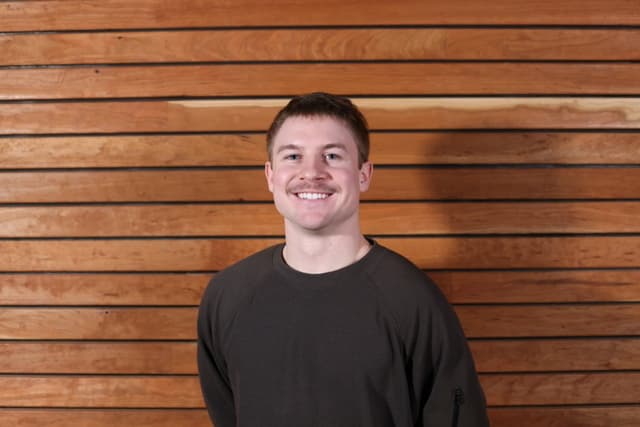
Nick Vadini
Host · CTONick is MintUp's technical co-founder and builds AI-powered systems for client operations, marketing, software, and internal workflows. He'll walk you through the same second-brain setup he runs for his own work. Co-founder Jonah Clement leads client strategy and growth at MintUp.
FAQ
Questions, answered.
What do I need before the workshop?
A Claude account and some real business context — documents, emails, call recordings, SOPs, calendar, CRM notes, or project and customer notes. You don't need all of it, but you need something for the business memory system to learn from.
Do I need to be technical?
No. You should be comfortable following a guided setup and organizing your business information, but there's no code required. If you can use Google Drive, you can do this.
Will you build it for me during the workshop?
We teach the blueprint and walk through the setup live. Some people get further than others in two hours. If you'd rather have it built for you, MintUp can handle the full build separately.
Is the recording included?
Yes. You get the replay permanently, so you can rebuild at your own pace or share it with your team.
What tools does this work with?
Claude, Google Drive, Gmail, Google Calendar, Slack and Teams, call recorders like Fathom or Otter, Notion or Obsidian, most CRMs, and anything with API or MCP access. The architecture matters more than the exact tool stack.
What if my business uses different tools?
That's fine. We teach the architecture, not a rigid checklist of apps. Once you understand how context flows into the system, you can wire in whatever your business already runs on.
Is this only for local businesses?
No. MintUp works heavily with local operators and service businesses, so the examples lean practical and owner-focused — but the system works for any business with real context to organize.
What happens after the workshop?
You can implement the checklist yourself, or talk to MintUp about a done-for-you Second Brain build and the broader AI Business OS we build for clients.
Join the First Cohort
Stop running your business from memory.
We're finalizing the first date for MintUp's business memory workshop. Join the waitlist and you'll be first to know when seats open — plus we'll use early replies to shape the examples.
- Live implementation workshop built around real operator workflows
- MintUp blueprint, prompts, and filing system to keep
- Replay included — rebuild it with your team later
Join the waitlist
First access and founding-cohort pricing, before seats open to everyone.