How We Cut 82% of Processing Time with AI
A real case study of building AI agents for a government department that was drowning in paper. Voice-to-text, auto document generation, data extraction, and compliance. Here's exactly what we built and the results it delivered.
April 3, 2026 · 8 min read · By Nick Vadini
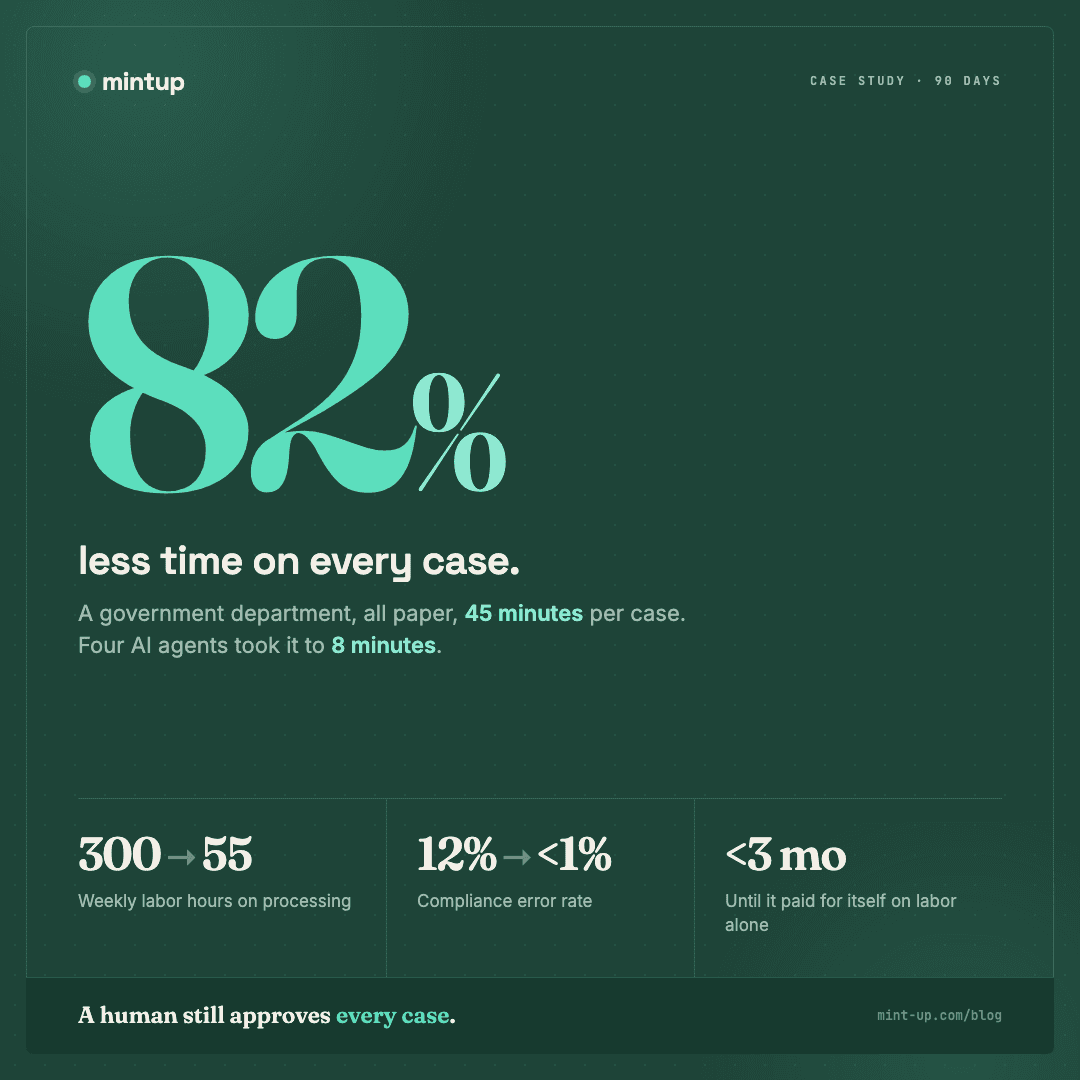
AI automation results are easy to claim and hard to prove. So here's the proof. We built an AI-powered platform for a government department that reduced their average document processing time from 45 minutes to 8 minutes. That's an 82% reduction. Paper intake was eliminated entirely. Error rates dropped by over 90%. And the system paid for itself in under three months. This is the full story of what we built, how we built it, and what we learned.
The Problem: 45 Minutes Per Case, All on Paper
The client (a mid-size government department; we're keeping them anonymous for contractual reasons) processed hundreds of cases per week. Each case required an intake interview, data entry into their system, document generation (forms, letters, reports), compliance verification, and filing. Every step was manual. Staff conducted interviews with pen and paper. They typed handwritten notes into a database. They filled out document templates one field at a time. They checked compliance requirements against a printed reference guide. Then they filed the physical paperwork.
The average case took 45 minutes of staff time from start to finish. With over 400 cases per week, the department was spending roughly 300 labor hours weekly on processing alone. That's about 8 full-time employees doing nothing but data entry and document generation. Backlogs were common. Staff turnover was high because the work was mind-numbing. And errors were a persistent problem. When you're manually entering the same data into three different documents, typos and inconsistencies are inevitable.
What We Built: A Four-Part AI System
We didn't build one monolithic AI tool. We built four specialized AI agents that work together as a pipeline. Each agent handles one part of the process and passes its output to the next. Here's how each piece works.
Agent 1: Voice-to-Structured-Data
Instead of pen and paper, staff now conduct interviews using a tablet with our app. The conversation is transcribed in real-time using speech-to-text. But raw transcription isn't useful on its own. Our AI agent listens to the transcription stream and extracts structured data as the conversation happens. When the interviewer says "the applicant is John Smith, date of birth March 15, 1987, currently residing at 142 Oak Street," the agent parses that into discrete fields: name, DOB, address. By the end of the interview, the staff member has a structured data record ready for review instead of a page of handwritten notes.
The accuracy here was critical. We trained the extraction model on hundreds of real interview transcripts (anonymized) to handle the messiness of real conversations. People don't speak in clean data fields. They say "well, he's been living there since, I think, about two years ago." The agent has to interpret that and flag ambiguous entries for human review rather than guessing.
Agent 2: Auto Document Generation
Once the structured data is confirmed, the second agent generates all required documents automatically. The department had 23 different document templates. Previously, a staff member would open each template and manually fill in the fields. Our agent takes the structured data, determines which documents are needed for that case type, populates every template, and generates print-ready PDFs. What used to take 15-20 minutes per case now takes about 4 seconds.
Agent 3: Data Extraction and Cross-Reference
Many cases involve supporting documents (IDs, utility bills, prior correspondence). Previously, staff would manually read these documents and type relevant information into their system. Our third agent uses document AI to extract data from uploaded scans and photos. It reads a driver's license and pulls the name, address, DOB, and license number. It reads a utility bill and extracts the service address and account holder name. Then it cross-references the extracted data against the interview data to flag any discrepancies. If the address on the ID doesn't match the address given in the interview, the system flags it for review rather than letting it slip through.
Agent 4: Compliance Verification
Government work has compliance requirements. Lots of them. The department had a 40-page reference guide that staff were expected to consult for every case. In practice, experienced staff knew the common rules from memory and checked the guide only for edge cases. New staff made frequent compliance errors. Our fourth agent runs every case through the complete compliance ruleset automatically. It checks eligibility criteria, required documentation, deadline calculations, and jurisdiction-specific rules. It flags any issues before the case is finalized. Compliance error rates dropped from roughly 12% to under 1%.
This is what AI agents look like in production. Not chatbots answering questions, but specialized systems that handle real workflows end-to-end. If your team spends hours on repetitive processing, we can build agents that do the same for you.
Explore AI Agents for Your BusinessThe Results: By the Numbers
We tracked results over the first 90 days of full deployment. The numbers speak for themselves.
- Processing time per case: 45 minutes down to 8 minutes (82% reduction).
- Paper usage: eliminated entirely. All intake and documentation is digital.
- Compliance errors: from ~12% to under 1%.
- Weekly labor hours on processing: from ~300 to ~55.
- Staff reallocation: 5 employees moved from data entry to higher-value case management work.
- Backlog: cleared within 6 weeks of deployment. Previously running 2-3 weeks behind.
- ROI timeline: the system paid for itself in under 3 months based on labor savings alone.
The numbers are impressive, but the human impact was the part that mattered most to the department director. Staff who had been doing mind-numbing data entry for years were retrained into case management and community outreach roles. Job satisfaction went up. Turnover went down. Citizens got faster service. The backlog that had been a chronic problem for years was gone.
How the Technical Architecture Works
For the technical folks: the system runs on a modern stack with each agent deployed as an independent service. The voice agent uses a fine-tuned speech-to-text model with a custom extraction layer. The document agent uses template engines with dynamic field mapping. The data extraction agent uses multimodal AI models that can read documents, images, and handwritten text. The compliance agent runs a rule engine with natural language interpretation, so new rules can be added by updating a plain-English ruleset rather than rewriting code.
The agents communicate through an event-driven pipeline. When one agent completes its work, it publishes its output and the next agent picks it up. This design means each agent can be updated, scaled, or replaced independently without affecting the others. It also means the system degrades gracefully. If the compliance agent goes down for maintenance, the rest of the pipeline continues to work. Cases just queue up for compliance review and get processed when the agent comes back online.
Everything runs with a human-in-the-loop design. The AI does the heavy lifting, but a human reviews and approves every case before it's finalized. This wasn't just a compliance requirement. It was a design philosophy. AI should handle the repetitive, error-prone work. Humans should make the judgment calls.
What We Learned
Every project teaches you something. Here are the lessons from this one that we now apply to every AI engagement.
- Start with the workflow, not the technology. We spent two full weeks shadowing staff and mapping the existing process before writing a single line of code. That upfront investment meant we built the right thing the first time.
- Accuracy matters more than speed. The voice agent's first version was fast but had a 15% error rate on data extraction. We slowed it down, added confidence scoring, and got errors under 2%. Speed you can always optimize later. Trust is hard to rebuild once lost.
- Change management is half the project. The technology was the easy part. Getting 60+ staff members comfortable with a new workflow took deliberate effort. We ran parallel systems for the first month so people could fall back to the old process when they felt unsure.
- Build for the edge cases from day one. The happy path is easy. It's the exceptions that kill you. We catalogued every edge case during our shadowing phase and built handling for them before launch. This prevented the "it works for 80% of cases but breaks on the rest" problem.
- Measure everything. We instrumented the system to track processing time, error rates, and user satisfaction from day one. This gave us the data to prove ROI and identify where to optimize next.
What This Means for Your Business
You probably don't run a government department. But you almost certainly have workflows that share the same characteristics: manual data entry, document generation, information transfer between systems, and compliance or quality checks. The specific AI agents would be different, but the pattern is the same. Identify the repetitive, rule-based work. Build AI agents to handle it. Keep humans on the judgment calls.
The 82% reduction in processing time wasn't magic. It was the result of methodically breaking down a workflow into its component parts, identifying which parts could be handled by AI, and building specialized agents for each one. Any business with well-defined, repetitive processes is a candidate for this approach.
Frequently Asked Questions
How long did this project take from start to launch?
About 14 weeks total. Two weeks of process mapping and requirements, eight weeks of development and testing, and four weeks of phased rollout with parallel systems. We launched to a pilot group of 10 staff first, then expanded department-wide over the final two weeks.
Can AI agents like these work for private businesses, not just government?
Absolutely. Government work has more compliance requirements, but the core pattern (voice intake, document generation, data extraction, rule-based verification) applies to dozens of industries. We've built similar systems for staffing agencies, property management companies, and professional services firms. Any business that processes a high volume of similar cases is a great fit.
What happens when the AI makes a mistake?
Every output goes through human review before it's finalized. The AI flags anything it's uncertain about with a confidence score. Low-confidence items are highlighted so the reviewer knows exactly where to focus attention. In practice, the AI catches errors that humans miss (like inconsistent addresses across documents) more often than it introduces them. The human-in-the-loop design means mistakes get caught before they matter.
Did any staff lose their jobs because of this system?
No. The department retrained five data entry staff into case management and community outreach roles that were previously understaffed. The AI eliminated the work nobody wanted to do and freed people up for the work that requires human empathy and judgment. This was a deliberate goal from the start, and we designed the rollout with the staff in mind.
What does something like this cost?
Projects of this scope typically range from $40,000 to $100,000 depending on complexity, number of agents, and integration requirements. This particular project fell in the middle of that range. With labor savings of over $15,000 per month, the ROI was clear within the first quarter. We structure our engagements so clients see measurable results before the investment is fully deployed.

Nick Vadini
CTO at MintUp
Nick is the full-stack engineer who architects and ships MintUp's builds out of Brunswick, Ohio, from infrastructure to frontend polish across React, React Native, Supabase, Stripe, and AI integrations. He has spent years building the AI systems, custom software, and automations that let Northeast Ohio businesses run leaner.
More about Nick VadiniRelated MintUp services
- AI agentsAgents that answer questions, qualify leads, and handle the repetitive work for your team.
- AI search optimizationShow up when customers ask ChatGPT, Perplexity, Grok, and Google AI for recommendations.
- Custom software developmentApps, dashboards, portals, and internal tools built around the way your business works.
- The Second Brain workshopA working session to find where AI and automation create the most leverage for your business.